





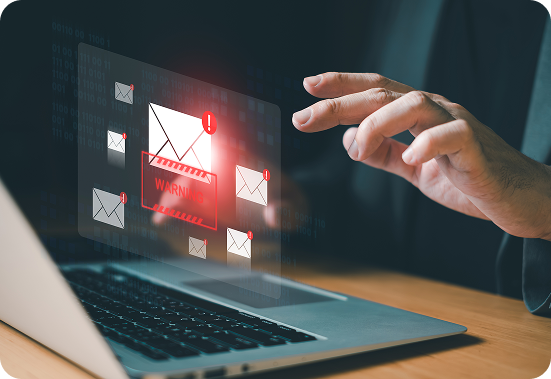
Business Email Compromise
Business Email Compromise (BEC) is a type of phishing attack that targets people at a senior level in an organisation, or those with the authorisation to carry out financial transactions.
Unlike other phishing attacks that send the same fraudulent email to thousands or even millions of people, a BEC is carefully targeted at a specific person in an organisation. It may take the form of an email that seems to come from someone that the recipient normally deals with, and may even continue the thread of a previous email exchange.

Warning Signs
The email will often pressure the recipient to transfer a sum of money to an account or disclose sensitive business data. For example, you might receive an email that appears to be from your boss, asking you to transfer a sum of money urgently.
In some cases, the email may actually come from the account of a known contact: attackers may have compromised that person’s business email, allowing them to send fraudulent messages from that person’s account.
In other cases, the attackers may use an email address that is almost identical to the address of someone you know, and include corporate logos that make it look legitimate.
As BEC emails are not sent in large volume like other phishing attacks, they are often not flagged by your email system’s filters. They may also contain virus in attachments that look authentic.

Actions
You may fall victim to either side of a BEC attack – either as the person whose email is compromised or impersonated, or as the person who receives a fraudulent email.
If you believe your email has been compromised or that you have otherwise been impersonated, take the following steps:
- Secure your email account.
- Reset passwords.
- Check account recovery details (in case attackers have changed these to allow them access to your account).
- Sign your email out from all other devices and sessions.
- Enable MFA.
- Check your email account settings (e.g. mailbox rules).
- Check your sent and deleted items to assess what actions may have been taken by the attackers.
- If an attacker is using an email service provider such as Gmail or Hotmail to impersonate you, submit an abuse report to that service provider.
- If someone has been using a spoofed domain name to impersonate you, notify An Garda Síochána and contact the registrar of the domain being used to impersonate you to request a takedown.
- Notify any contacts and third parties that may have been contacted by attackers impersonating you.
If you believe you have received a fraudulent email as part of a BEC attack:
- If you have transferred money from your bank account or disclosed credit card details, contact your financial institution immediately. Be sure to use their official website or phone number.
- Notify your IT departmecnt.
- Report the crime to your local Garda station.
- Notify any third parties that might be affected.