






4. Turn on multi-factor authentication (MFA)
MFA typically works by requiring one or more verification factors, such entering a code received by phone in addition to a traditional user ID and password. For example, when you receive an authentication code by SMS text message after entering your password to log into an online account.
Watch our explainer video to learn how to Turn on multi-factor authentication (MFA)
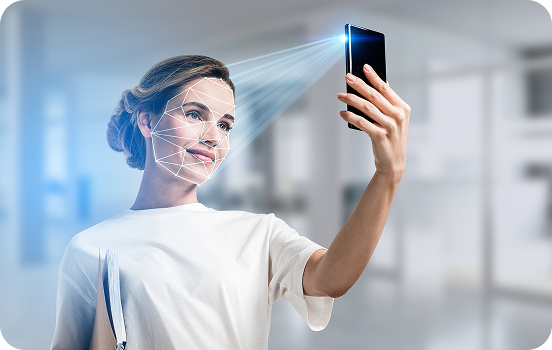
What is MFA?
MFA makes user accounts and computer systems much more secure, and it makes it harder for cybercriminals to take over your account, by adding extra layers of protection. MFA requires you to use a combination of two or more of the following factors to access your accounts:
- something you know (e.g. a PIN, password, or passphrase);
- something you have (e.g. a smartcard, physical token, authenticator app, SMS, or email), and;
- something you are (e.g. a fingerprint, facial recognition, or iris scan).
Why use MFA?
MFA helps to defends against the majority of password-related cyber-attacks. For example, MFA protects against credential stuffing, where cyber-criminals use previously stolen passwords from one website and try to reuse them elsewhere to gain access to more accounts. It provides an extra layer of protection from cyber-criminals attempting to break in. Even if they break through one layer by guessing your password, they must break a second barrier to access your account. MFA is a versatile tool that often goes by different names. You may come across it as two-factor authentication (2FA) or two-step verification. Understanding these different terms and their applications can help you make the most of MFA. For more detailed information, please refer to our previously published MFA guide.

Some further examples of MFA could include:
SMS verification codes (2FA via SMS):- Users log in using their standard username and password
- After entering credentials, a one-time verification code is sent to their mobile phone via SMS
- Users must enter this code to complete the login process
- Scans and matches unique fingerprint patterns to authenticate identity
- Convenient for users (no need to remember complex passwords or carry tokens)
- Difficult for attackers to impersonate users due to fingerprint uniqueness